 11
11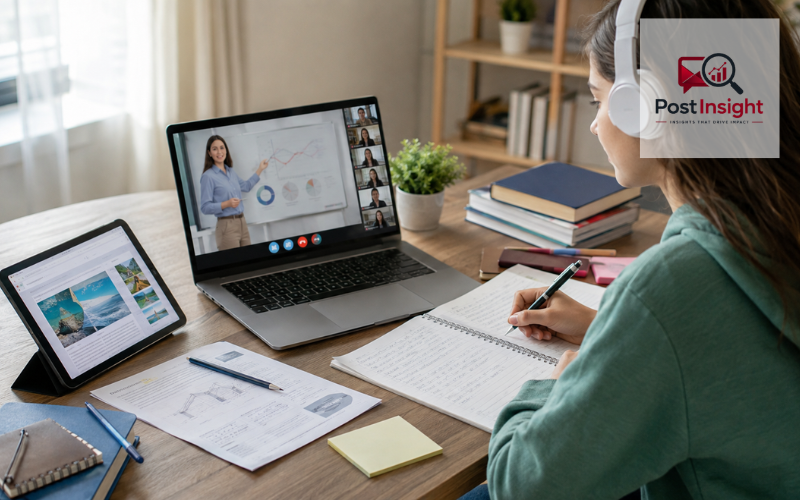
Distance learning resources are the digital tools, course materials, platforms, and support systems that help people learn when they are not in the same physical classroom as their teacher. They can be used for fully online education, hybrid classes, home study, professional training, or extra practice alongside traditional schooling.
These resources take many forms. A student may use a self-paced learning website to review math, an online course platform to study a career skill, a learning management system to receive assignments, or a video tool to attend a live lesson. Downloadable worksheets, recorded lectures, shared documents, study planners, and accessible reading materials can also be part of a distance learning setup.
The right choice depends on the learner. Age, subject, learning goal, budget, internet access, device availability, and the amount of teacher support needed all matter. A tool that works well for an independent university student may be too complex for a young child. For that reason, it is more useful to compare resources by purpose than to look for one platform that is “best” for everyone.
| Resource Type | Best For | Examples | Typical Access |
| Self-paced learning | Independent study and practice | Khan Academy, Duolingo | Free / optional paid plans |
| Online courses | University and career learning | Coursera, edX, OpenLearn | Free and paid |
| Learning management systems | Managing classes and assignments | Google Classroom, Moodle, Canvas | School/institution based |
| Virtual classrooms | Live remote lessons | Zoom, Google Meet, Microsoft Teams | Free and paid options |
| Study and collaboration tools | Notes, projects, and group work | Google Docs, Notion | Free and paid options |
| Downloadable resources | Offline or low-bandwidth learning | PDFs, worksheets, transcripts | Often free |
The easiest way to understand distance learning resources is to group them by what they do. Self-paced learning platforms mainly teach content. Structured online course platforms provide lessons, assessments, and sometimes certificates or degrees. Learning management systems help schools organize classes, assignments, grades, and communication. Virtual classroom tools support live teaching, while collaboration tools help students work together on documents and projects.
Downloadable resources form another important category. PDFs, worksheets, transcripts, reading packs, recorded lessons, and offline materials can make remote study more practical for learners who cannot stay connected all day.
A learner who needs help understanding a subject should usually begin with a teaching or course platform. Someone already enrolled in a school or college may spend more time inside an LMS. A teacher running live lessons will need a video platform, while a student completing group assignments may rely more heavily on shared documents and planning tools.
The best distance learning resources are not simply the most famous ones. A useful platform should match the learner’s level, subject, schedule, and intended outcome. Content quality comes first, but ease of use is also important. Students should be able to find lessons, understand what to do next, and track their progress without spending unnecessary time learning the software itself.
Instructor involvement also matters. Some learners work well independently, while others need regular feedback, live explanations, or structured deadlines. Accessibility features such as captions, transcripts, keyboard navigation, readable layouts, and mobile support can make a major difference.
Cost should be examined carefully. Some platforms are completely free, some allow free access to course material but charge for certificates, and others use subscriptions or tuition. Formal online degrees are different again because admission rules, academic credit, and accreditation may apply. Before enrolling, check current pricing, eligibility, course availability, certificate terms, and whether a credential is issued by the platform, an employer, or an accredited university.
For school-age learners, free resources can be especially useful for review, homework support, and independent practice. Khan Academy remains one of the broadest options. Its free learning library covers subjects from early math through K–12 and early college topics, with videos, articles, exercises, and progress tools. Khan Academy Kids also provides a free app for children ages two to eight.
Curriki continues to operate as a nonprofit focused on improving online education through technology. Its current work includes learning resources, educator support, and newer initiatives around responsible AI use in education.
Great Minds is another useful source, although readers should not assume every part of its curriculum is free. In 2026, it provides free family and instructional resources, while parts of programs such as Eureka Math and PhD Science are available as open educational resources.
For language learning, Duolingo offers free courses supported by optional paid plans. It is useful for short, repeated practice, but it should usually be treated as one part of language study rather than a complete replacement for conversation, reading, writing, and teacher feedback.
Adults and university-level learners often need more than subject practice. They may be looking for career skills, professional certificates, academic credit, or full degree programs. Coursera offers individual courses, specializations, professional certificates, and online degrees from universities and industry partners. Its catalog includes different access and payment models, so learners should check the terms of each program rather than assuming every course or certificate is free.
edX follows a similar model. Learners can study many courses for free, while verified certificates and larger programs may carry fees. The platform currently includes individual courses, professional certificates, MicroBachelors, MicroMasters, and online degree options.
OpenLearn, operated by The Open University, remains a strong choice for free study. It offers hundreds of short courses as well as articles, videos, activities, and digital badges or statements of participation on many courses. UNESCO Open Learning also provides free courses across education, science, culture, communication, and information, with multilingual learning opportunities.
In Pakistan, HEC’s Digital Learning and Skills Enrichment Initiative continues to operate in partnership with Coursera, making it a region-specific option worth checking for eligible learners.
A learning management system, or LMS, is the digital home of a course. It helps teachers distribute readings, post lessons, collect assignments, manage assessments, communicate with students, and track progress. An LMS does not necessarily provide the subject content itself; instead, it organizes and delivers the learning experience.
Google Classroom is designed as a central classroom hub within Google Workspace for Education. Schools can use it to organize classwork, assignments, feedback, and communication, with additional connections across Google tools. Some core education features are available at no cost to eligible institutions, while other editions add paid capabilities.
Moodle is an open-source LMS that can be downloaded and customized, which can appeal to institutions that want more control over how their learning environment works. Canvas and Blackboard are institutional LMS platforms with tools for course delivery, assessment, mobile access, integrations, and accessibility.
For a small class, a simple system may be enough. A university or large school district may need stronger administration, reporting, integration, support, privacy, and security features.
Live video tools are useful when distance learning needs real-time teaching. Zoom supports remote and hybrid education with video meetings and education-focused tools and guidance for running virtual classrooms. Microsoft Teams for Education combines video collaboration, chat, assignments, class materials, and notes. Microsoft states that it is available free to users with a valid, active institution email address.
Google Meet is integrated with Google Workspace for Education and can be used for classes, parent-teacher meetings, professional development, and other school communication. It also connects with services such as Classroom and Docs.
Live teaching works well when students need discussion, immediate questions, demonstrations, or virtual office hours. It may be less convenient when learners are in different time zones, have unstable internet, or need flexible study hours. In those cases, recorded lessons or self-paced materials can provide a better foundation.
Teachers should also think about meeting permissions, recording rules, student privacy, moderation, and who is allowed to join a session. A technically impressive platform is not useful if the class cannot use it safely and consistently.
Not every distance learning resource needs to be a course platform. Students also need places to write, plan, share work, and keep track of deadlines. Google Docs and other shared document tools allow learners to share files and collaborate without being in the same location.
Notion can be used for class notes, project planning, reading lists, research organization, and study schedules. In 2026, eligible individual students and teachers can access Notion’s Education Plus Plan for a one-member workspace at no cost, subject to its eligibility requirements.
These tools work best as support systems. They do not replace a well-designed course, a qualified instructor, or an LMS when formal class management is required. Keeping the setup simple is usually better than using several apps that all perform the same task. A learner may only need one place for classes, one place for live meetings, and one place for notes and collaborative work.
Distance learning resources for students should change as students grow. Younger children often benefit from short lessons, visual activities, repeated practice, and strong parent or teacher guidance. Secondary students may need subject-specific practice, assignment management, exam preparation, and more independent study.
University students usually need longer readings, research tools, recorded lectures, discussion spaces, and access to formal course systems. Adult learners may prefer flexible, self-paced study that fits around work and family responsibilities. Career-focused learners often care most about practical skills, projects, useful credentials, and clear links between training and their goals.
A simple way to choose is to:
This approach is more reliable than choosing a platform simply because it is popular.
Distance learning resources PDF files remain useful because they can be saved, printed, shared, and studied without a constant internet connection. Common examples include worksheets, study guides, reading packs, lesson plans, revision notes, family guides, and teacher handouts. Great Minds, for example, currently provides a range of downloadable family and instructional materials alongside its curriculum resources.
Downloadable videos, audio lessons, transcripts, and printable exercises can also reduce the amount of time a learner needs to remain online. A student with limited connectivity might download materials during a reliable connection, study offline, and reconnect later to submit work or join an occasional live session.
Quality matters more than file format. A PDF found through a search engine is not automatically reliable. Students, parents, and teachers should prefer materials from recognized schools, universities, government education agencies, established educational organizations, or authors whose qualifications and sources are clear. It is also wise to check the publication date, especially for subjects where facts, standards, software, or professional rules can change.
A strong distance learning setup should be usable by as many learners as possible. Useful accessibility features can include captions for video, transcripts for audio, readable documents, keyboard support, mobile-friendly layouts, and compatibility with assistive technologies. Major education platforms increasingly include accessibility features, but their exact capabilities and availability can differ by product or plan.
Privacy deserves equal attention. Students and parents should understand what information a platform collects, who can see student work, which permissions an app requests, and whether live sessions may be recorded. Younger students may need adult supervision when creating accounts, joining video calls, or communicating with people online.
Educators should avoid treating accessibility as an optional extra. A platform with excellent content can still create barriers if learners cannot navigate it, hear it, read it, or use it on the devices available to them. Educational quality, accessibility, privacy, and ease of use should therefore be considered together.
Distance education can support career and technical education through theory lessons, software training, safety instruction, professional development, and some forms of skills practice. However, many technical programs also include workshops, laboratories, equipment, clinical work, or other hands-on activities that may not be fully replaceable through online instruction.
The Association for Career and Technical Education, or ACTE, provides professional-development resources, events, and networking opportunities for CTE professionals. Learners searching for an academy of career and technical education should be careful with the phrase because it can refer to a specific school rather than a nationwide online-learning platform. For example, the U.S. National Center for Education Statistics lists an Academy of Career and Technical Education in Secaucus, New Jersey.
Before enrolling in any career-focused program, check whether it is fully online, hybrid, or in person. Learners should also confirm whether practical components are required for successful completion, professional certification, or licensing in their field.
The United States Distance Learning Association is a nonprofit professional organization focused on distance and digital learning. Its website provides distance learning resources, research, events, webinars, and professional support for educators and organizations.
A distance learning conference can be useful for teachers, administrators, instructional designers, and training professionals who want to learn about teaching practices, research, accessibility, policy, and education technology. USDLA currently runs several events during the year, including its Distance/Digital Learning National Conference and National Distance Learning Week. ACTE also maintains professional-development events for the career and technical education community.
Before paying for a conference, compare the program with your actual needs. Look at the speakers, session topics, practical workshops, recordings, networking value, continuing-education opportunities, location, and total cost. A smaller event that directly matches your role may be more useful than a large conference with only a few relevant sessions.
Distance learning resources are most effective when they solve a clear learning need. One student may only need free practice exercises and downloadable worksheets, while another may need a full LMS, weekly live classes, collaborative documents, and a formal credential.
The right choice depends on learning level, subject, teaching format, accessibility needs, internet access, available time, budget, and the value of any certificate or degree being offered. Instead of building a complicated collection of apps, choose a small set of tools with clear roles and make sure the learner knows how to use each one.
The range of distance learning resources available in 2026 gives students, parents, educators, and professionals many ways to learn remotely, but platform features, prices, and eligibility conditions can change. Before committing significant time or money, check the provider’s current course availability, accessibility options, costs, requirements, and credential details. A resource that closely matches the learner’s real needs is usually more useful than choosing a platform based on name recognition alone.
Distance learning resources support education outside a traditional classroom. They can provide lessons, practice exercises, assignments, live classes, downloadable materials, communication tools, and progress tracking for students and teachers.
The best option depends on the student’s age, subject, and goal. Khan Academy suits independent practice, while platforms such as Coursera, edX, and OpenLearn are better suited to advanced learning.
Many free resources from established schools, universities, nonprofits, and educational organizations are reliable. However, learners should check the source, author, publication date, curriculum relevance, and accuracy before relying on unfamiliar materials.
Yes. Downloadable PDFs, worksheets, transcripts, recorded lessons, and offline study materials can help learners with limited connectivity. Students can download content when online and complete much of their study offline.
Some do, but recognition varies. A completion certificate is not automatically the same as academic credit or an accredited qualification, so learners should verify the provider, issuing institution, and credential requirements.
Disclaimer: This article is for general educational information only. Distance learning resources, prices, course availability, eligibility requirements, certificates, and platform features may change. Always verify important details directly with the educational provider before enrolling or making a payment.