
 11
11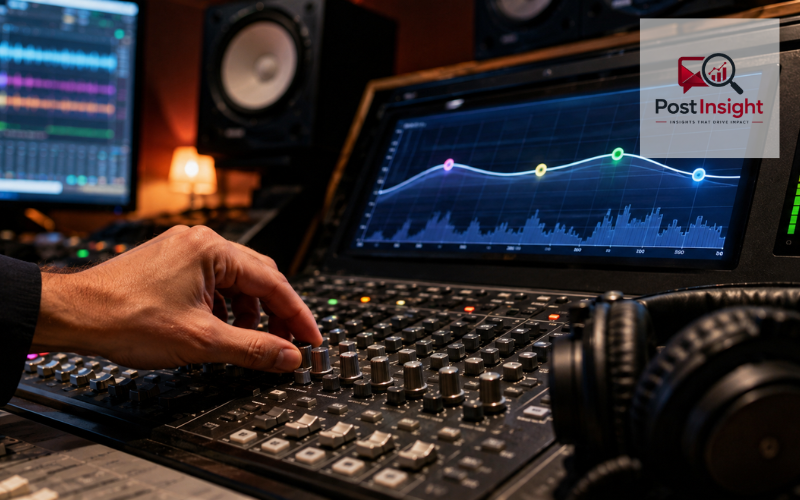
A quad equalizer is usually a four-band equalizer that lets you adjust four broad parts of the audio spectrum. Instead of changing the whole sound with one bass control and one treble control, it gives you more focused control over lows, low-mids, high-mids, and highs. This makes it useful when a recording sounds muddy, a vocal lacks clarity, a guitar feels harsh, or a live system needs quick tonal correction.
In modern audio equipment, the phrase most often means a 4-band EQ. Many devices and software tools organize their bands as low, low-mid, high-mid, and high. Some allow full control of frequency, gain, and Q, while others use fixed or partly fixed bands. Shure, for example, describes a four-band parametric EQ with those four band names, but its low and high bands work as shelf filters rather than fully adjustable bell filters.
The term can also refer to an equalizer made for quadraphonic audio, meaning a four-channel playback system. That meaning is less common in everyday recording and live-sound discussions. This guide explains both uses, then focuses on how a 4-band quad equalizer works, what each band affects, and how to make useful adjustments.
| EQ Band | Approximate Range | Main Sound Effect | Common Use |
| Low | 20 Hz–250 Hz | Bass, weight, rumble | Control boom and low-end power |
| Low-Mid | 250 Hz–2 kHz | Warmth, body, muddiness | Clean boxy vocals and instruments |
| High-Mid | 2 kHz–4 kHz | Presence, clarity, attack | Improve vocal and instrument definition |
| High | 4 kHz–20 kHz | Brightness, detail, air | Add sparkle or reduce harshness |
Equalization changes the level of selected frequencies in an audio signal. Every voice, instrument, speaker, and room produces a mixture of low, middle, and high frequencies. A quad equalizer lets you increase or reduce parts of that mixture so the result sounds clearer, fuller, softer, brighter, or more balanced.
Increasing a frequency range is called boosting. Reducing it is called cutting. Boosting can bring out a useful quality, such as the body of a bass guitar or the detail of a vocal. Cutting can reduce unwanted qualities, such as low rumble, boxiness, sharpness, or ringing.
Four bands offer a practical middle ground. They provide more control than simple bass and treble knobs, yet they are easier to understand than an equalizer with many overlapping bands. This is why 4-band designs appear in mixers, headphone systems, instrument amplifiers, audio plug-ins, and speaker processors. Current Shure products still use four-band parametric EQ systems to shape independent frequency areas.
The first and most common meaning is a 4-band equalizer. In this design, “quad” refers to four adjustable EQ sections. A mixer may label them low, low-mid, high-mid, and high. A software equalizer may display four points on a graph. The exact controls differ by product, but the purpose is the same: shape four useful parts of the sound spectrum.
The second meaning is a quadraphonic equalizer. Here, “quad” refers to four audio channels rather than four frequency bands. Quadraphonic systems were built around four-channel playback, usually with speakers placed around the listener. The Library of Congress describes quadraphonic playback as a four-channel configuration, separating it from stereo and larger surround formats.
Context usually makes the meaning clear. If the discussion is about frequency bands, vocals, instruments, gain, or Q, it almost certainly means a 4-band EQ. If it is about vintage records, four speakers, channel balance, or 4.0 playback, it may mean a quadraphonic system. Today, the 4-band meaning is more useful for most musicians, home-studio users, and live-sound operators.
A quad equalizer commonly divides sound into low, low-mid, high-mid, and high areas. These labels are practical guides, not universal rules. One device may place the low-mid band around 160 to 630 Hz, while another may let it sweep across a wider range. Current Shure hardware shows this variation: one four-band design uses a low shelf at 100 Hz, selectable low-mid points from 160 to 630 Hz, high-mid points from 1 to 6.3 kHz, and a high shelf at 10 kHz.
For learning purposes, the low band can be treated as roughly 20 to 250 Hz. The low-mid area may be viewed as about 250 Hz to 2 kHz. High-mids often cover the presence region around 2 to 4 kHz, while highs extend from roughly 4 kHz toward the upper limit of human hearing.
These ranges overlap because sound does not change character at one exact number. A vocal may feel muddy around a few hundred hertz, nasal around the middle frequencies, and sharp in the upper mids. The best setting depends on the source, microphone, room, speaker, and listener.
The low band controls the deepest and heaviest part of the sound. A practical range is about 20 to 250 Hz, although the actual controls on a quad equalizer may cover only part of this area. Kick drums, bass guitars, low piano notes, floor vibration, handling noise, and electrical hum can all have energy here.
A small boost may make a thin kick drum feel fuller or give a bass line more weight. However, too much low-frequency boost can use up headroom and make the entire mix sound cloudy. It may also cause small speakers to struggle because they cannot reproduce deep bass cleanly.
Cutting the low band can reduce stage rumble, microphone handling noise, or unwanted boom. On sources that do not need deep bass, a low-cut filter is often more suitable than a broad low-band cut. The goal is to remove only what does not support the sound.
Excessive cutting creates a different problem. Vocals can lose warmth, guitars can become weak, and drums can lose impact. Make a small change, listen in context, and return the control toward flat if the source begins to sound thin.
The low-mid band carries much of the body of voices and instruments. A broad learning range is about 250 Hz to 2 kHz, but many four-band equalizers divide this area differently. This region affects vocals, guitars, keyboards, toms, snare drums, and room tone.
When low-mids are balanced, a sound feels warm and solid. When too much energy builds up, several tracks can compete for the same space and the mix may feel muddy or congested. A boxy tone is often heard as though the source were trapped inside a small room or cardboard container.
A gentle cut can improve separation, especially when several instruments are playing together. The safest method is to lower a narrow or medium-width area slightly, then compare the result with the EQ bypassed. Shure’s guidance for room resonance correction also recommends identifying the unwanted frequency and beginning with a moderate cut rather than making a large change immediately.
Do not remove too much. The low-mids contain natural body, and deep cuts can make a vocal hollow or an instrument distant.
The high-mid band helps sounds come forward and remain understandable. The 2 to 4 kHz area is often linked with presence, vocal clarity, pick attack, snare definition, and the bite of lead instruments. Some quad equalizers let the high-mid band move well below or above this range.
A small boost can help speech or singing remain clear over music. It can also make a guitar part more defined without raising its overall volume. Shure documentation for one four-band listening equalizer notes that boosting roughly 2 to 5 kHz can increase the clarity and detail of lead instruments and the human voice.
This range can also become tiring. Too much high-mid energy may make vocals sound aggressive, guitars feel sharp, and snare drums become painful at higher levels. Before boosting, consider whether a competing track could be reduced instead.
For harsh sounds, use a small cut and listen to the full mix. A narrow cut may help a specific ringing tone, while a wider and gentler cut may soften general hardness.
The high band controls brightness, sparkle, fine detail, and the sense of air around a sound. A broad guide is about 4 kHz to 20 kHz, although many equalizers divide presence and treble into separate areas. Cymbals, breath sounds, consonants, pick noise, and recording hiss are noticeable here.
A gentle high-band boost can open a dark recording or make a vocal feel more polished. Shelf filters are common because they raise or lower frequencies above a selected point. On some four-band designs, the high shelf has a fixed frequency. Shure’s PSM900 implementation, for example, fixes the high shelf at 10 kHz and provides selectable gain settings.
Too much high boost can reveal hiss, make cymbals brittle, and exaggerate “s” or “sh” sounds in vocals. This sharp vocal effect is called sibilance. A high-band cut may soften the overall brightness, but a dedicated de-esser is often better when only certain syllables are causing trouble.
High-frequency hearing and speaker response vary, so bright settings that sound exciting on one system may sound harsh on another. Check the result at a comfortable level and, when possible, on more than one playback system.
A parametric quad equalizer may provide three main controls for each adjustable band: frequency, gain, and Q. Frequency selects the center point or cutoff area you want to change. Gain decides how much that area is boosted or cut, usually measured in decibels. Q controls how wide or narrow the adjustment will be.
A lower Q value usually affects a wider section of the spectrum, creating a smooth tonal change. A higher Q value focuses on a narrower area, which is useful for ringing, resonance, or feedback. Yamaha’s current parametric EQ documentation lists center frequency, Q factor, and gain as separate controls.
Not every four-band equalizer gives all three controls on all four bands. Low and high sections are often shelf filters, so they may not include an adjustable Q. The middle bands are more likely to be fully parametric. Check the labels and manual rather than assuming every quad equalizer behaves in the same way.
The controls work together. Choose the problem area with frequency, set the width with Q, and apply a careful gain change. Afterward, compare the result with the EQ bypassed.
One common use is corrective EQ. This means reducing an unwanted tone rather than changing the source’s whole character. Examples include cutting low-mid mud from a guitar, reducing a ringing drum frequency, or softening a harsh vocal area.
Another use is tone shaping. A singer may need a little more presence, a bass guitar may need more definition, or a keyboard may need less low-frequency weight so it does not cover the kick drum. Four bands are often enough to make these broad improvements quickly.
In a full mix, a quad equalizer can help instruments occupy clearer spaces. This does not mean assigning every instrument a fixed frequency. It means listening for overlap and making small changes where two sounds compete.
Live sound is another important use. An equalizer can reduce frequencies that begin to feed back, but it should not be treated as the only solution. Microphone position, loudspeaker position, stage volume, and distance between equipment also affect feedback. Shure warns that EQ cannot replace proper system setup when microphones and speakers are too close together.
A quad EQ may also shape speaker or headphone playback. Room reflections, speaker placement, and personal preferences can all influence the final setting.
Start with the equalizer flat, meaning no boost or cut. Listen for a clear problem before moving a control. Random changes can make the sound different without making it better.
Small adjustments are usually easier to judge than extreme ones. A minor cut may clean up a track while preserving its natural tone. Large boosts can reduce headroom, reveal noise, and make the mix feel forced. When a sound needs a major correction, check the microphone position, instrument setup, recording level, or room before relying on EQ alone.
Solo listening can help locate a noise or resonance, but final decisions should be made while the full mix is playing. A guitar that sounds rich by itself may be too thick beside a piano and vocal.
Match loudness when comparing the processed and unprocessed signal. People often prefer the louder version, even when it is not clearer. Use the bypass control and adjust output level so both versions sound equally loud.
Avoid copying settings without listening. Frequency labels are useful starting points, not guaranteed solutions. Two voices, guitars, rooms, or speakers may need completely different treatment. Work at a comfortable level and take breaks, especially when adjusting upper-mid and high frequencies.
A quad equalizer gives you four useful areas of tonal control: low, low-mid, high-mid, and high. The low band manages weight and rumble, low-mids shape warmth and muddiness, high-mids affect presence and clarity, and highs control brightness and air. On a parametric model, frequency, gain, and Q work together to select the area, amount, and width of each adjustment.
The exact band limits and available controls depend on the equipment. Some quad EQ systems use four fully adjustable bands, while others use shelf filters for the low and high sections. Understand the controls in front of you rather than follow fixed numbers blindly.
Use a quad equalizer for a clear purpose: correct a problem, shape a tone, improve separation, or manage feedback. Begin with small changes, listen in the full mix, and compare against the original at a similar volume. Balanced adjustments usually sound more natural and remain comfortable for longer listening.
A quad equalizer is used to shape sound by adjusting four frequency areas. It can reduce muddiness, control bass, improve vocal clarity, soften harsh tones, and balance recordings or live audio.
In most modern audio discussions, yes. A quad equalizer usually means a 4-band EQ, although the term can also describe older quadraphonic systems designed to process four separate audio channels.
The four bands are generally low, low-mid, high-mid, and high. Each controls a different part of the sound, including bass weight, warmth, clarity, presence, brightness, and fine detail.
Cutting unwanted frequencies is often a safer starting point because it can improve clarity without increasing signal level. However, small boosts are useful when a voice or instrument needs more body or presence.
It can reduce feedback by cutting the ringing frequency, but it cannot fix every cause. Microphone placement, speaker position, stage volume, and distance between equipment must also be checked.
Disclaimer: This information is for general audio guidance. Quad equalizer controls and frequency ranges vary by device, so consult your equipment manual and protect your hearing by monitoring sound at safe volume levels.