
 11
11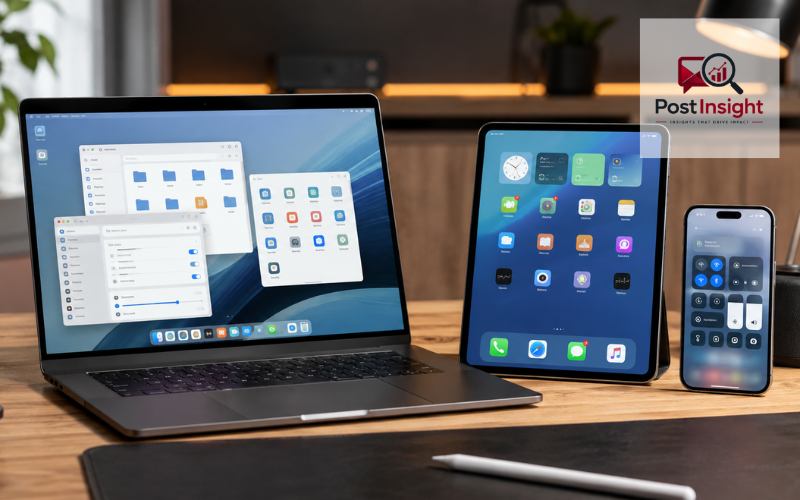
An operační system, or operating system, is the main software that allows a computer, phone, tablet, or similar device to work. The standard Czech spelling is operační systém, while “operační system” is also commonly searched online. In simple terms, the operating system sits between you, your apps, and the physical parts of the device.
When you tap an icon, open a browser, save a photo, connect a printer, or change the volume, the operating system helps make that action happen. It gives programs access to the processor, memory, storage, screen, speakers, camera, and other hardware in a controlled way.
Without an operating system, most modern devices would be very difficult for an ordinary person to use. You would not have the familiar desktop, menus, folders, app controls, or touch interface. The operating system turns complex hardware into a usable device.
This article explains how an operating system works, what jobs it performs, how it keeps data organized and protected, and how popular systems such as Windows, macOS, Linux, Android, iOS, and iPadOS differ.
| Operating System | Common Devices | Best Known For |
| Windows | PCs and laptops | Wide software and hardware support |
| macOS | Apple Mac computers | Smooth Apple ecosystem integration |
| Linux | PCs and servers | Flexibility and customization |
| Android | Phones and tablets | Wide device choice and customization |
| iOS | iPhones | Simple interface and Apple integration |
| iPadOS | iPads | Touch-focused tablet experience |
When you turn on a computer or phone, the device first performs a basic hardware check. It then loads the operating system from storage into memory. Once the OS starts, it prepares the device for use by loading important services, checking connected hardware, and showing the login screen or home screen.
After that, the operating system stays active in the background. If you open a web browser, for example, the OS gives the browser access to memory, processor time, the screen, the keyboard or touch input, and the network connection. The browser does not normally control these parts directly.
The same process happens with games, photo editors, messaging apps, and other programs. The OS helps each program use the hardware safely without taking complete control of the device.
This is why the operating system is involved in almost everything you do. Even simple actions such as copying a file, changing screen brightness, connecting to Wi-Fi, or playing a video depend on services managed by the OS.
One of the main jobs of an operating system is managing the processor. Many programs may need the processor at the same time, so the OS decides when each task gets a chance to run. This happens very quickly, which makes it seem as if many apps are working at once.
The OS also manages memory, often called RAM. When you open an app, it needs temporary working space. The operating system gives it part of the available memory and takes that space back when it is no longer needed.
Storage management is another important function. The OS helps save, find, copy, move, and delete files. It also keeps track of where data is stored on an internal drive, memory card, or other storage device.
In addition, the operating system controls connected devices, handles network connections, manages sound and display settings, provides system time, and supports many background services that apps depend on. These jobs work together to keep the device stable and useful.
A computer contains many physical parts, including the CPU, RAM, storage drive, graphics hardware, network hardware, screen, keyboard, and mouse. Phones and tablets also include cameras, microphones, touch screens, sensors, and wireless components. The operating system coordinates these parts.
The CPU performs instructions, while RAM holds information that is being used at that moment. The operating system decides which programs receive processor time and how much memory they can use. It also helps prevent one normal application from freely accessing memory that belongs to another.
Device drivers are an important part of this process. A driver is software that helps the operating system communicate with a specific hardware component. For example, a printer driver helps the OS understand how to send a document to a printer.
This management becomes especially important when several apps are open. A video call may need the camera, microphone, speakers, network connection, processor, and memory at the same time. The OS coordinates these resources so the rest of the device can continue working.
Applications are designed to perform specific tasks, but they depend on the operating system for many basic services. When you launch an app, the OS loads the required program data into memory and creates a working process for it.
The operating system also provides standard ways for apps to display windows, receive keyboard or touch input, save files, use the internet, play sound, and request access to features such as the camera or location.
Modern operating systems support multitasking. This means several programs can remain open at the same time. You might listen to music while writing a document and downloading a file in the background. The OS manages the available resources and switches processor attention between these tasks.
Not every application works on every operating system. A program may be built specifically for Windows, macOS, Linux, Android, or iOS. The system design, available software tools, hardware type, and app store rules can all affect compatibility. Checking software support is therefore important before choosing a new operating system or device.
An operating system gives users an organized way to work with stored information. Instead of dealing directly with locations on a storage chip or drive, you see files, folders, names, icons, and search tools.
A file may contain a document, photo, video, song, application, or system information. Folders help group these files so they are easier to manage. The OS lets you create folders, rename items, move files, copy them, delete them, and restore some deleted items when recovery options are available.
Behind this simple view is a file system. A file system is the method the operating system uses to organize and track data on a storage device. Different operating systems may use different file systems, and this can affect compatibility with external drives and other devices.
Good storage management also helps the OS keep track of free space. When storage becomes very full, the device may have less room for updates, temporary files, new apps, or personal data. Built-in storage tools can help users see what is taking up space.
The user interface is the part of the operating system you directly see and control. On a laptop or desktop computer, this normally includes windows, icons, menus, buttons, a pointer, and a desktop or app launcher.
Phones and tablets use a touch-focused interface. Instead of relying mainly on a mouse and keyboard, users tap, swipe, pinch, and use on-screen keyboards. The operating system translates these actions into commands that apps and hardware can understand.
Most people use a graphical user interface, often shortened to GUI. It makes the device easier to control by presenting visual elements. Another option is a command-line interface, where users type text commands. Command lines are useful for certain technical tasks, but most everyday users do not need them for normal device use.
A well-designed interface makes complex functions easier to reach. Settings for Wi-Fi, sound, display, privacy, accounts, and installed apps can be managed without needing to understand how the hardware works internally.
Security is a major responsibility of every modern operating system. The OS controls which users can sign in, which files they can access, and what apps are allowed to do.
User accounts help separate personal settings and data. Permissions add another level of control. For example, a phone app may ask for permission before using your camera, microphone, contacts, or location. This gives the user more control over sensitive information.
Operating systems also include tools designed to protect system files and reduce the risk of harmful software. Depending on the platform, these may include app checks, built-in malware protection, encryption, secure startup features, firewalls, or protected areas where apps have limited access to the rest of the system.
Security updates are especially important because new weaknesses can be discovered after a device is sold. Installing supported updates helps close these weaknesses. Strong passwords, screen locks, backups, and careful app installation still matter because the OS cannot protect users from every possible risk.
The best-known desktop operating systems include Microsoft Windows, Apple macOS, and Linux.
Windows is widely used on PCs from many manufacturers. It supports a large range of business software, games, accessories, and hardware. In 2026, Windows 11 is Microsoft’s main supported consumer Windows release. Standard support for most Windows 10 Home and Pro systems ended on October 14, 2025, although Microsoft offers Extended Security Updates for eligible users who need additional time to move away from Windows 10.
macOS is Apple’s operating system for Mac computers. It is designed closely around Apple hardware and works well with other Apple services and devices. As of August 2026, Apple lists macOS Tahoe 26.6.1 as the latest macOS release.
Linux is different because it is available in many versions, called distributions. Popular choices are built for different types of users, from beginners to developers and server administrators. Linux offers strong customization and is widely used in servers as well as personal computers.
Android and Apple’s iOS and iPadOS are major operating systems for mobile devices.
Android is used by many phone and tablet makers. This gives buyers a wide range of device sizes, prices, and designs. Manufacturers can also add their own interface features on top of Android. Google’s Android Open Source Project states that Android 17 is available in 2026.
iOS is designed for the iPhone, while iPadOS is made for the iPad. Apple controls both the hardware and the operating system, which allows the company to design them to work closely together. As of August 2026, Apple lists iOS and iPadOS 26.6 as the latest versions.
Mobile operating systems are built around touch controls, battery use, mobile networks, cameras, sensors, and app stores. Desktop systems normally give users more freedom for large-screen workflows, file management, external hardware, and professional software, although the difference between mobile and desktop systems continues to become smaller in some areas.
Windows, macOS, and Linux can all handle common tasks such as browsing the web, working with documents, watching videos, and managing files. The main differences appear in their interface, software support, hardware choices, and level of customization.
Windows is often a practical choice for people who need broad compatibility with PC software, gaming hardware, or workplace tools. Because many companies make Windows computers, users can choose from a wide range of machines.
macOS is limited to compatible Mac hardware. It may suit people who already use other Apple products or depend on software built for the Mac. Apple manages both the operating system and most of the hardware design.
Linux provides much more choice in how the system looks and behaves. Many distributions are free to download and use. However, some commercial applications or games may not offer full Linux support, so users should check the programs they need before switching.
There is no single best operating system for everyone. The better choice depends on the person’s work, apps, hardware, budget, and preferences.
Operating system updates do more than add new features. Many updates fix security problems, improve stability, correct software bugs, and keep the device compatible with newer apps and services.
Security is one of the strongest reasons to stay updated. Software weaknesses can sometimes allow attackers or harmful programs to gain access to a device. When the OS maker releases a fix, installing it reduces that known risk. Apple, for example, says keeping software up to date is one of the most important steps for maintaining product security.
Updates can also improve performance or solve problems with batteries, Wi-Fi, Bluetooth, displays, and other hardware. Major upgrades may change the design or add new features, while smaller updates often focus on fixes.
An unsupported operating system may continue to turn on and run, but that does not mean it is a good long-term choice. Windows 10 is a clear example: Microsoft says most standard Windows 10 editions stopped receiving normal security fixes after October 14, 2025. Using a currently supported system is generally safer, especially on devices connected to the internet.
The right operating system depends first on the device. An iPhone uses iOS, an iPad uses iPadOS, and modern Macs use macOS. PCs offer more choice, especially between Windows and different Linux distributions.
The next question is what software you need. Before changing systems, check whether your important programs, games, work tools, printers, and other accessories are supported. This simple step can prevent problems later.
Ease of use also matters. A familiar operating system may be the best choice for someone who wants a simple setup, while another user may prefer greater control and customization. Security support should be considered as well. A system that still receives regular updates is normally a better choice than one that has reached the end of support.
Think about your other devices too. Features such as file sharing, cloud storage, messages, calls, photos, and passwords may work more smoothly when devices are part of the same ecosystem.
Instead of choosing an OS only because it is popular, choose the one that supports the tasks you actually need to perform.
An operační system is the software foundation that makes a computer, phone, or tablet practical to use. It manages hardware, gives applications the resources they need, organizes files, provides the user interface, and supports important security features.
Windows, macOS, Linux, Android, iOS, and iPadOS take different approaches, but they all perform the same basic job: helping the user and software work with the device’s hardware in a controlled and useful way.
Understanding these basic functions makes it easier to choose a device, solve simple problems, manage storage, understand updates, and decide when an older system should be replaced or upgraded. For most users, the best operating system is one that supports their essential apps and hardware, is easy for them to use, and continues to receive reliable security updates.
An operační system is the main software that controls a device’s hardware and allows users to run apps, manage files, connect devices, and interact with a computer, phone, or tablet.
A computer needs an operating system to manage its hardware, memory, files, and applications. Without an OS, most users would not have a practical way to control or use the computer.
Common operating systems include Microsoft Windows, Apple macOS, Linux, Google Android, Apple iOS, and iPadOS. Each is designed for different types of computers, phones, tablets, or user needs.
An operating system manages the entire device and provides basic services. An application performs a specific task, such as browsing the web, editing photos, playing games, or writing documents.
There is no single best operating system for everyone. The right choice depends on your device, required applications, hardware compatibility, ease of use, security support, and personal preferences.
Disclaimer: This article provides general educational information about operating systems. Features, versions, compatibility, and support policies may change, so check the official OS provider for the latest details.